Your controller.
On-screen touches.
Start from a genre template, place controls over a touch-only game, bind each one with a press, and play with real buttons, sticks or a keyboard. Android 7 and newer. No ads, no account, no internet permission.
Free to try · Every activation mode is free · Phone & tablet
Your layout.
Your buttons.
No ads.
How it works
Place it, bind it,
play.
Three steps, and nothing to sign up for.
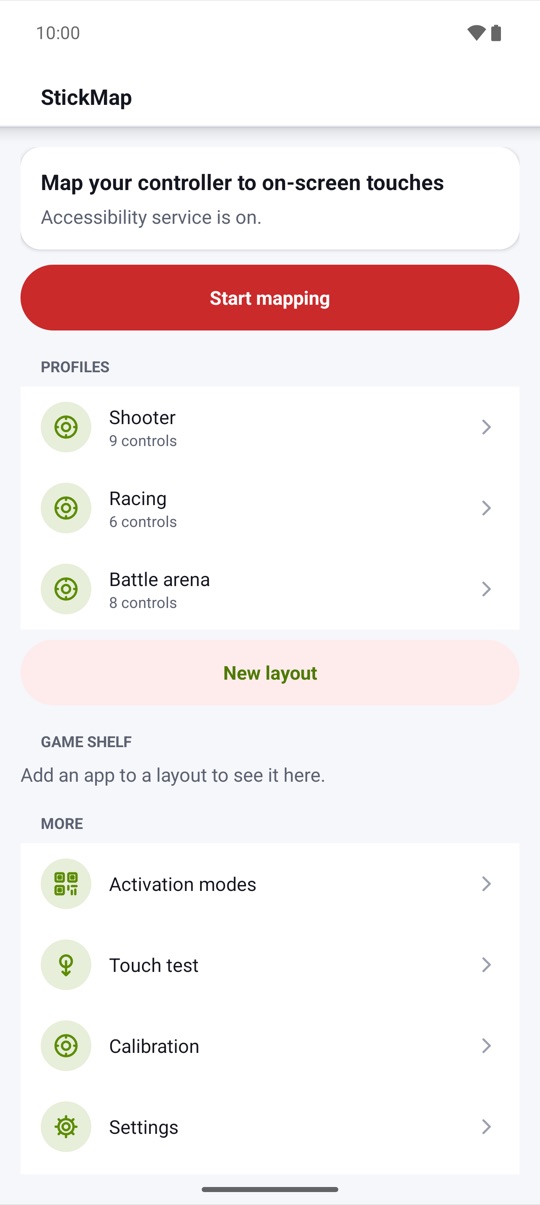
- 01Start from a templatePick a genre template, such as Shooter, Racing or Platformer, or an empty layout. The floating editor opens over the app you want to play, with controls at typical positions for you to move.
- 02Bind each one with a pressSelect a control, then press a controller button, press a keyboard key or move a stick. Most Bluetooth and USB controllers that Android recognizes work.
- 03Start mappingEach press becomes the touch you placed. Pause and resume it from the Quick Settings tile.
Overlay editor
Place a control,
press a button.
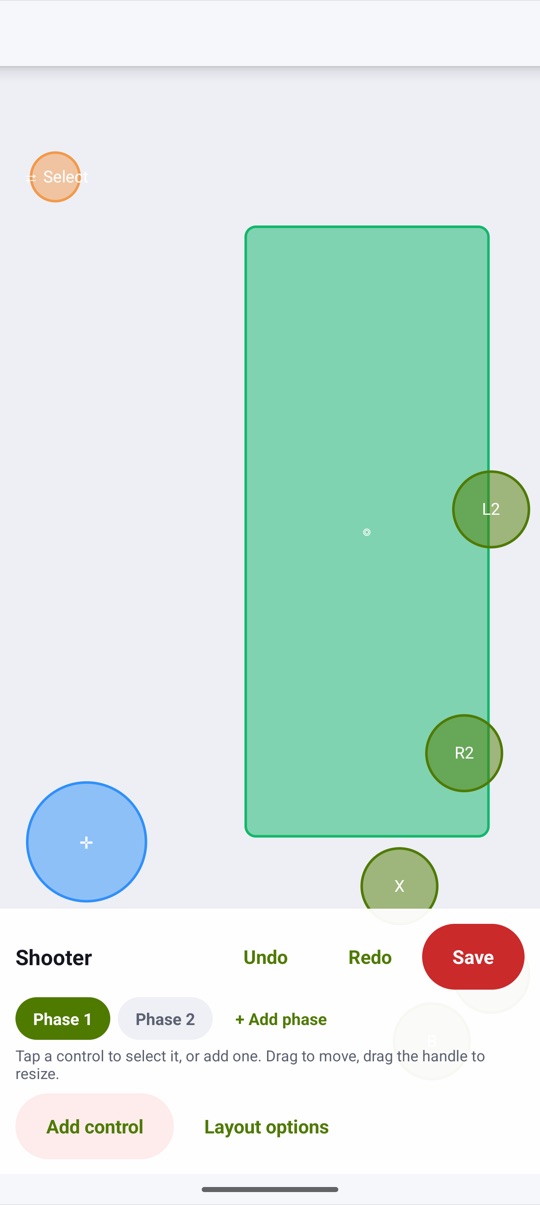
The editor floats over the app in front. Drag to move, drag the handle to resize, add a label, undo and redo, set the opacity, snap to a grid and scale everything with one size slider. During play, binding hints can show your keys over the game at the opacity you choose, or every key can stay hidden.
- Tap, hold, toggle hold, joystick, D-pad and camera zone
- Virtual mouse, scroll and trigger thresholds, free
- Positions saved as fractions of the screen, portrait and landscape
Joystick and camera
Real sticks,
smooth drags.
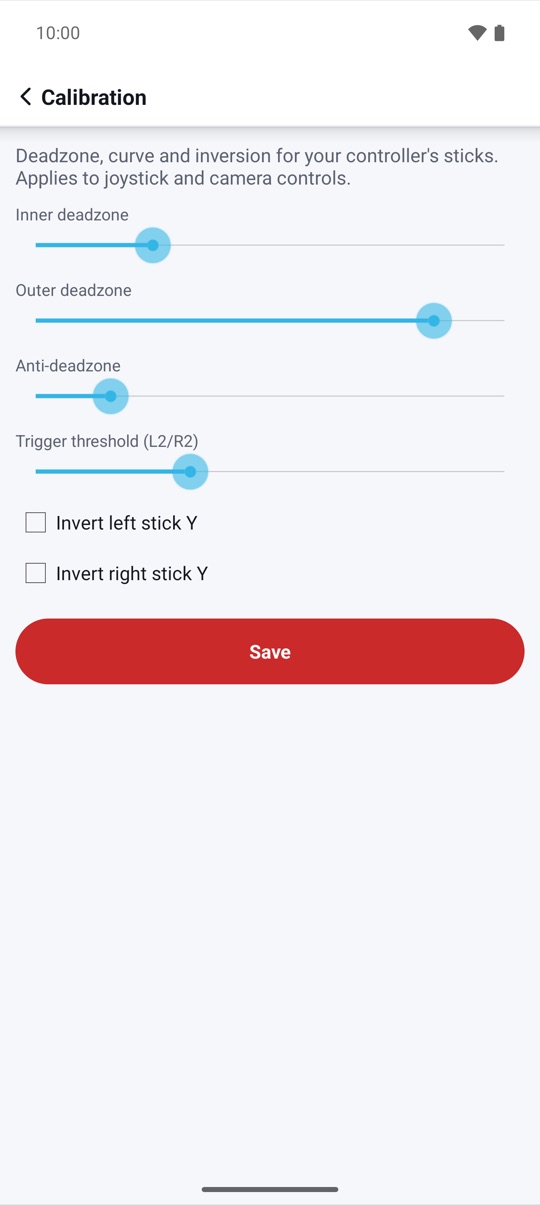
The left stick, the D-pad or a keyboard's WASD drives a virtual joystick with its own size and response curve. The right stick drags inside a camera zone, with sensitivity, acceleration, curve and invert. With smart cast, hold a button and steer a skill stick, then release to let go or slide into a cancel zone.
- Inner and outer deadzone, anti-deadzone and curve
- Analog sticks in gesture mode on Android 14+
- Analog on any supported version with multi-touch mode
Activation
Three ways to activate,
all free.
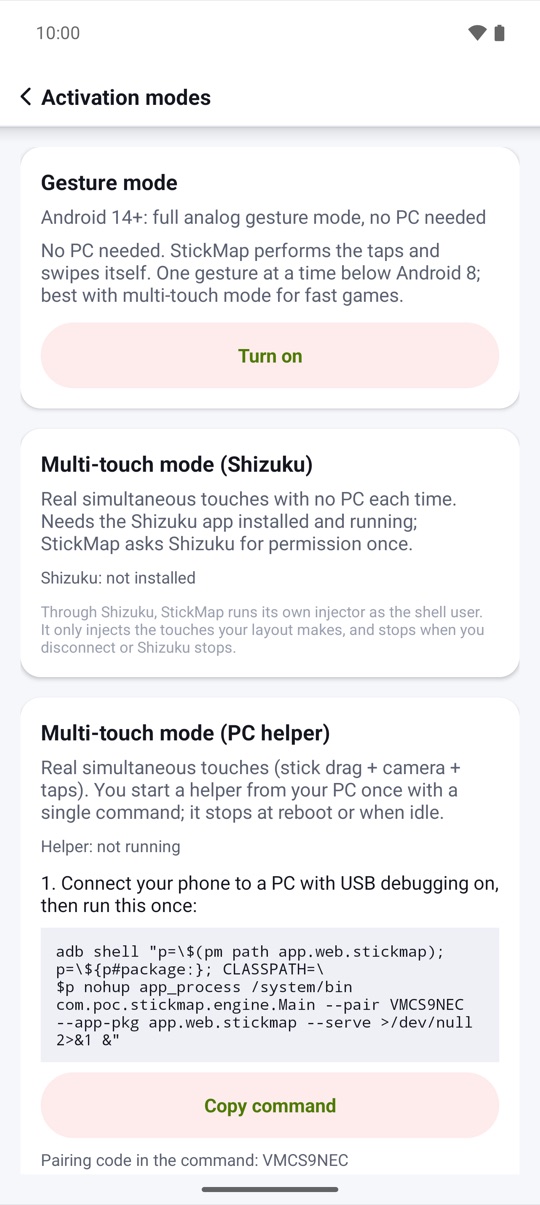
Gesture mode needs no PC: StickMap performs the taps and swipes through Android's Accessibility service. For real simultaneous touches, use multi-touch mode with the Shizuku app, or with a PC helper you start with one adb command. Try every mode for free before you decide on Pro.
- Gesture mode on Android 7+, no PC needed
- Multi-touch with Shizuku: no PC each time
- PC helper with a fresh pairing code; stops at reboot
Layouts, phases and shelf
A layout
for every app.
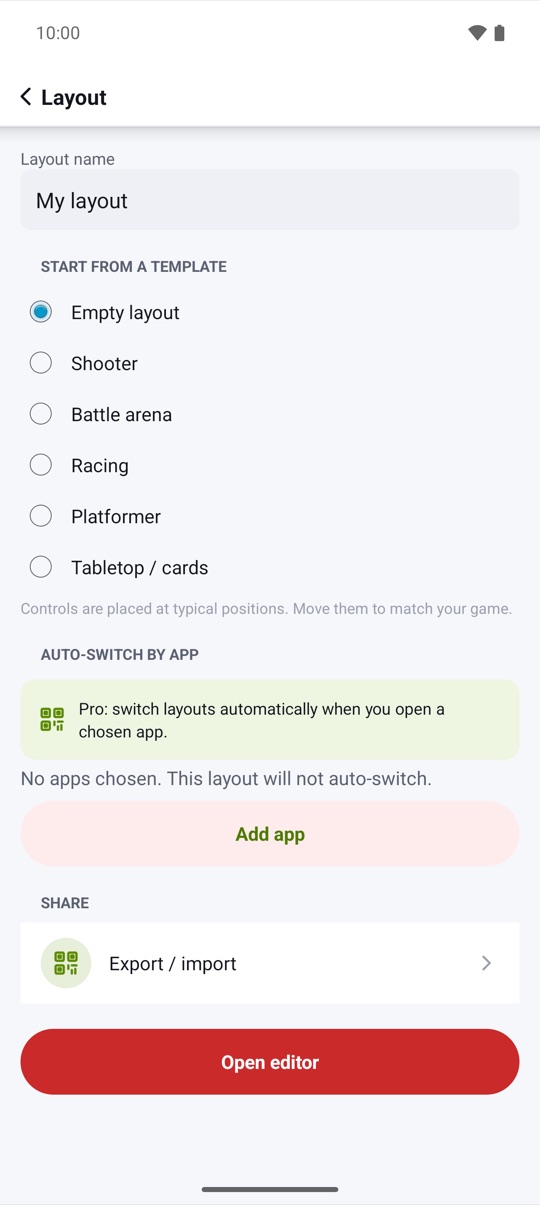
Make a layout for each game, with up to 8 phases, for example on foot, in a vehicle and in menus, switched by a button, a chord or the status chip. The game shelf opens your mapped apps with their layout ready. With Pro, StickMap switches layouts by itself when you open a chosen app.
- Choose per layout whether sticks are captured
- Choose whether unmapped buttons reach the game
- Mapping never runs on the home screen
Share and back up
Your layouts,
safe and portable.
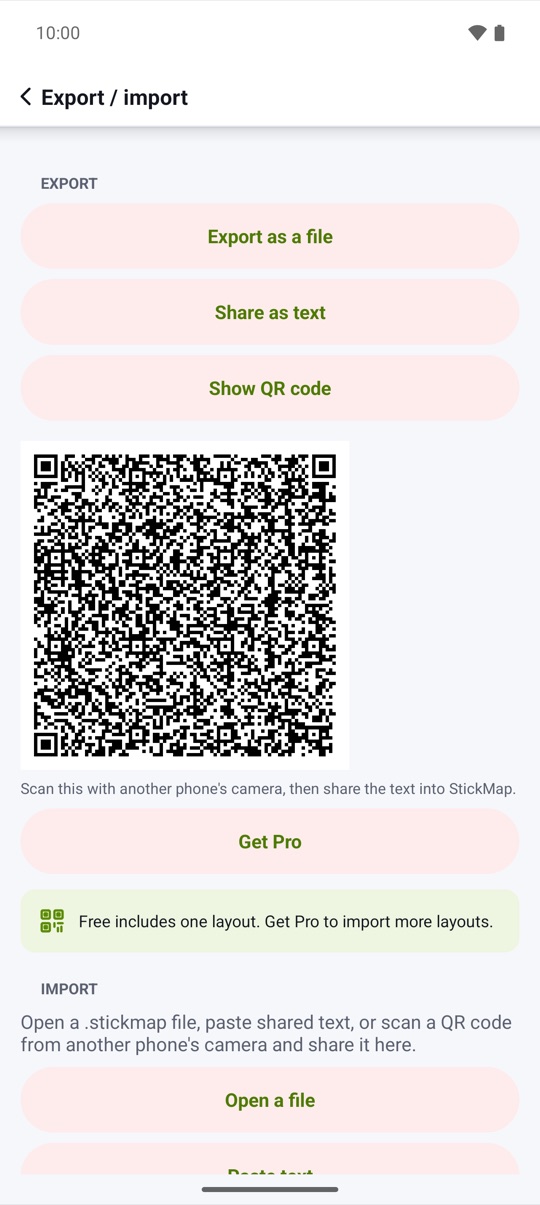
Export a layout as a .stickmap file, as text or as a QR code shown right on the share screen, and import it on another device. Every import is checked against the same limits as the editor. An encrypted full backup goes to a file you choose and never leaves your device unless you share it.
- Layout export is free
- Backup encrypted with AES-256-GCM and your password
- Backup and restore are never behind Pro
Touch test
See every touch
it makes.
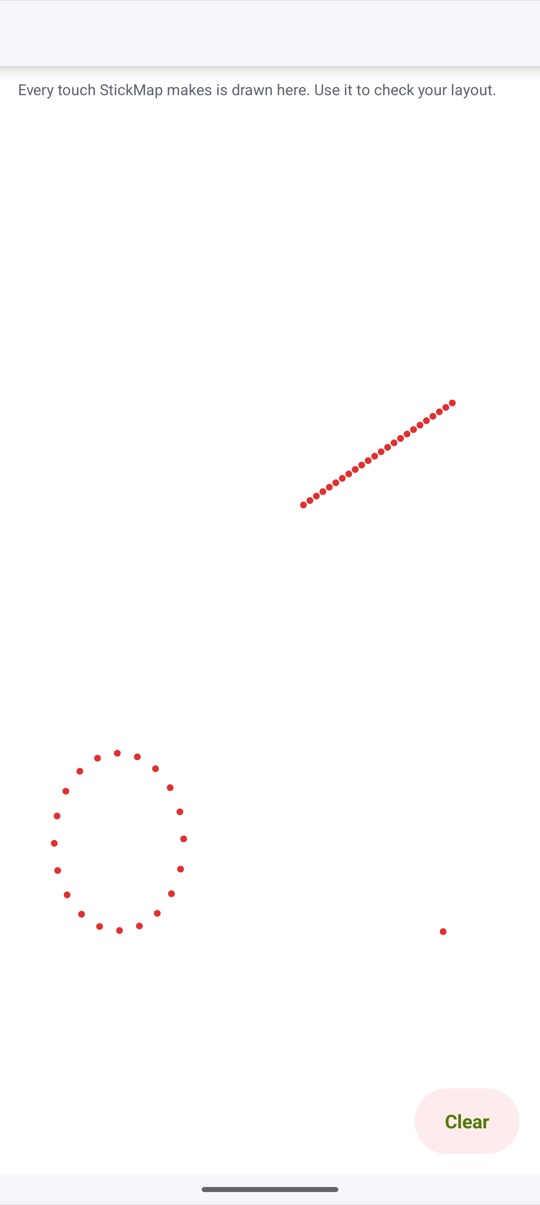
The touch test canvas draws every touch StickMap makes, so you can check a layout before you open the game. Every touch follows a press or stick movement you made; nothing runs by itself.
- Taps, holds and drags drawn live
- Status chip shows the mode and phase in use
- Fair-play notice before your first layout
And more
The small things,
done right.
Calibration
See what a curve
does to your stick.
Below the inner deadzone the stick reports nothing, so a drifting stick leaves the joystick alone. Above it, the curve decides how fast the drag grows: linear for one-to-one, smooth for fine control near the center, fast for quick turns.
- Leave the stick alone and watch it on the touch test
- Set the inner deadzone just above its drift
- Pick the curve that feels right for joystick and camera
Illustrative example: dashed linear, smooth and fast curves with a 12% deadzone.
Honest compatibility
What works
on which Android.
StickMap shows what works on your phone when you first open it, before it asks for anything.
| Android | Gesture mode (no PC) | Holds and taps together | Analog sticks | Multi-touch |
|---|---|---|---|---|
| 7.x | Yes | One gesture at a time | With Shizuku or the PC helper (D-pad and stick directions in gesture mode) | With Shizuku or the PC helper |
| 8–13 | Yes | Yes | With Shizuku or the PC helper (D-pad and stick directions in gesture mode) | With Shizuku or the PC helper |
| 14–16 | Yes | Yes | Yes, in gesture mode too | With Shizuku or the PC helper |
Gesture mode uses Android's Accessibility service, turned on by you, and makes one gesture at a time: fast games with a camera zone work best in multi-touch mode. If Android's Advanced Protection blocks the service, use multi-touch mode with the PC helper.
Pricing
Free to try.
Pro when you're ready.
The free version has one layout with 2 phases and 8 controls per phase, every activation mode, layout export and encrypted backup, so you can check StickMap on your device before you pay. Pro removes the limits and adds advanced controls.
StickMap Pro
- Unlimited layouts, phases and controls
- Combos: up to 16 steps within 5 seconds, played once per press
- Swipe paths, multi-tap (2–5 taps per press) and sequence keys
- Smart cast with a cancel zone, shift layers and chords such as L1 + X
- Switching layouts by app, and importing more than one layout
Lifetime: US$6.99, one payment. Yearly: US$3.99 per year, with a 7-day free trial for new subscribers; it renews automatically, cancel anytime in Google Play › Subscriptions. US prices; Google Play shows the price in your currency. Google Play's refund policy applies.
No catch.
Privacy
Your presses
stay on your phone.
Controller presses, keyboard keys and stick movements are handled in memory and never logged. Only the layouts and settings you save are stored, on your device only.
Only what you share yourself, such as a layout as a .stickmap file, text or QR code, or an encrypted backup file you saved. Payments are handled by Google Play; StickMap checks your purchase on the device. Privacy policy →
Questions,
answered.
Will it work with my controller?
StickMap works with most Bluetooth and USB controllers that Android recognizes, and with an external keyboard. Pair the controller in Android's settings, open the editor and press a button: if Android sees it, StickMap can bind it.
Can I use it in online games?
Some online games forbid third-party input tools, remappers or macros in their terms. Using them may get your account restricted. Check each game's rules. StickMap only turns your own presses into touches. It does not aim, automate, or hide itself.
Why does it ask for Accessibility?
Gesture mode needs it to read your controller and keyboard presses and sticks, see the name of the app in front to load the right layout, perform the taps and swipes in your layout, and draw the status chip, cursor and binding hints. It does not read screen content, messages or passwords, does not act on its own and sends nothing anywhere. You see a clear explanation and agree before StickMap opens the settings.
Which activation mode should I use?
Gesture mode needs no PC and is enough for many games. For fast games with a camera zone, multi-touch mode gives real simultaneous touches: with Shizuku if you use that app, or with the PC helper, which you start from a computer with a one-line adb command after each phone restart.
What works on my Android version?
Android 7 and newer run gesture mode. Holds and taps together work from Android 8, and analog sticks in gesture mode from Android 14; on older versions the D-pad and stick directions drive the joystick. Multi-touch mode works on any supported version with Shizuku or the PC helper.
Is there a subscription?
Only if you want one. StickMap is free with limits, and Pro is either a one-time Lifetime purchase or a Yearly plan with a 7-day free trial for new subscribers, which renews automatically until you cancel in Google Play › Subscriptions. Every activation mode, layout export and backup are free either way.
How do I back up my layouts?
Settings › Backup creates an encrypted full backup of your layouts, calibration and settings in a file you choose, protected with your own password (AES-256-GCM). It never leaves your device unless you share the file, and you need the password to restore it.
Does Pro work offline?
Yes. Your purchase is checked on your phone and kept privately, so Pro keeps working without a connection. After a reinstall or on a new phone, Restore purchases brings it back with the same Google account.